
The Office of the Inspector of Drugs, Every district has instructed all pharmacy retailers holding Drugs Licenses in Form 20 and 21 to upload their details on the EODB (Ease of Doing Business) portal developed by NIC.This must be done within 7 days of receiving the notice, and acknowledgment must be submitted.
Step-by-Step Guide to Update Your Details
Step 1: Visit the EODB Assam Portal
- Open your browser and go to: https://eodb.assam.gov.in
- On the homepage, look for the Login / Register option.
- Then hover over Login / Register and click on Investor Login
Step 2: Login to Your Account
- If you already have an account:
- Enter your Username and Password, then click Login.
- If you don’t have an account:
- Click on Register and create one using your email ID, mobile number
Step 3: Select the Correct Service
- After logging in, click on “Apply for services” then click “View all available services“.
- then search retail on search box in right side.
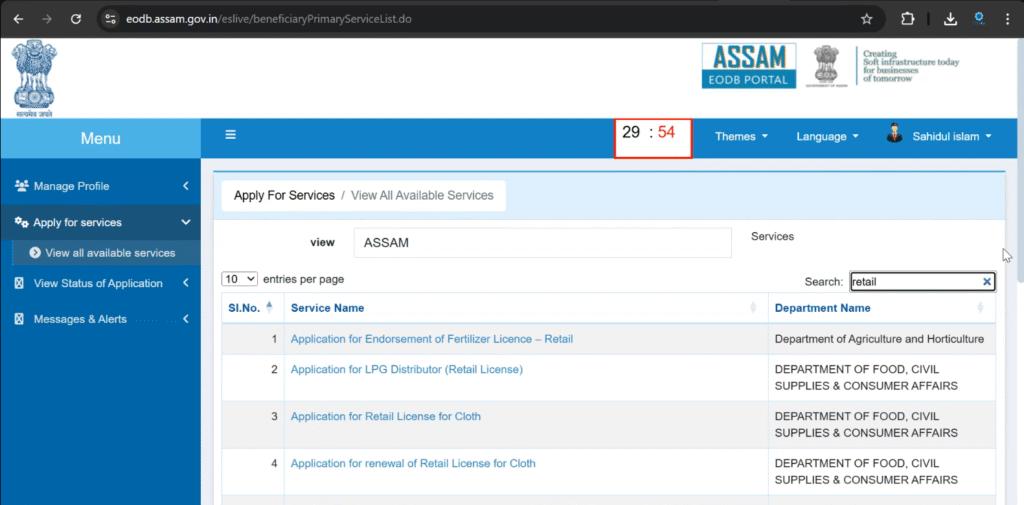
- Click on form serial no 16.
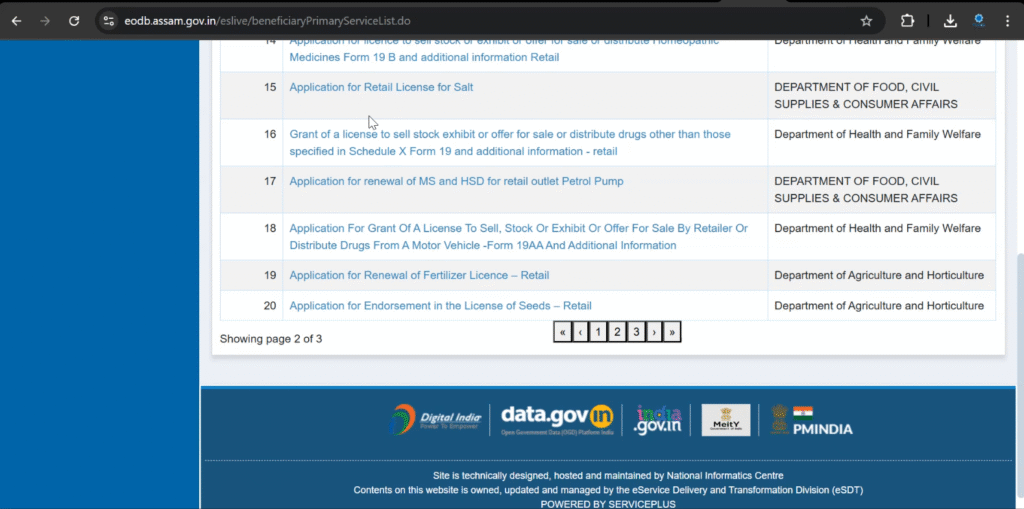
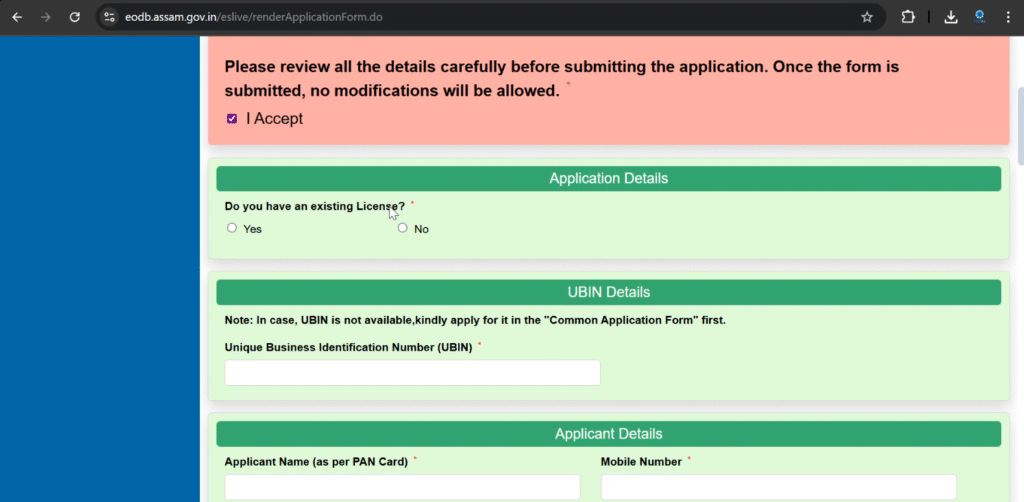
Step 4: Fill in Your Pharmacy Details
Fill all the details required and then click on Submit button
Step 5: Upload Required Documents
Following documents are needed along with last 3 terms challan :
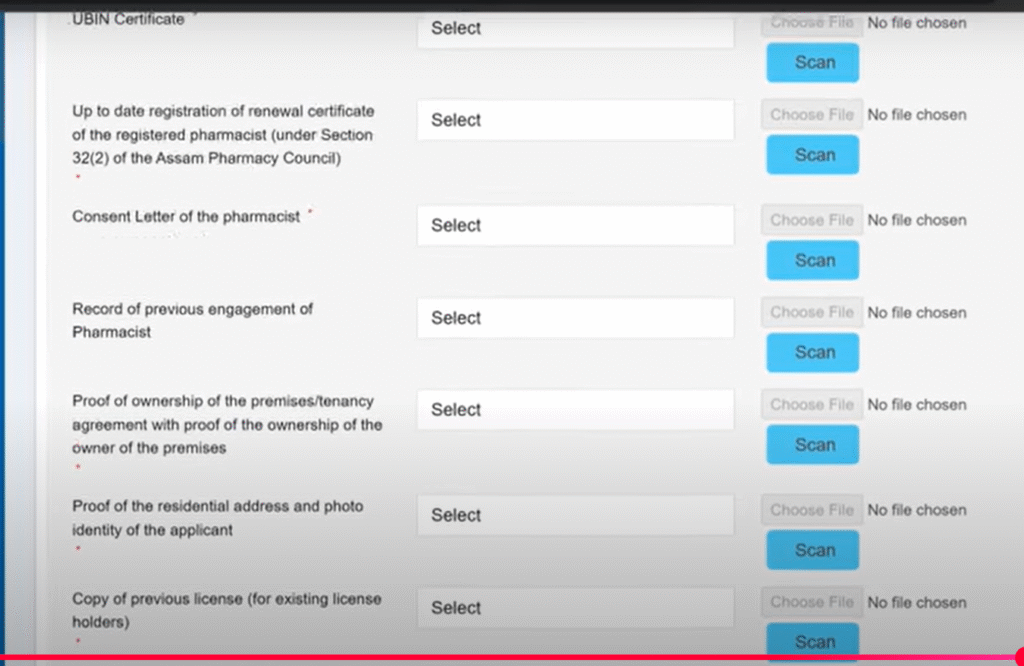
Click on Attach Annexure and upload required documents
| Wan help directly? Then Whatsapp me 9287908223 |
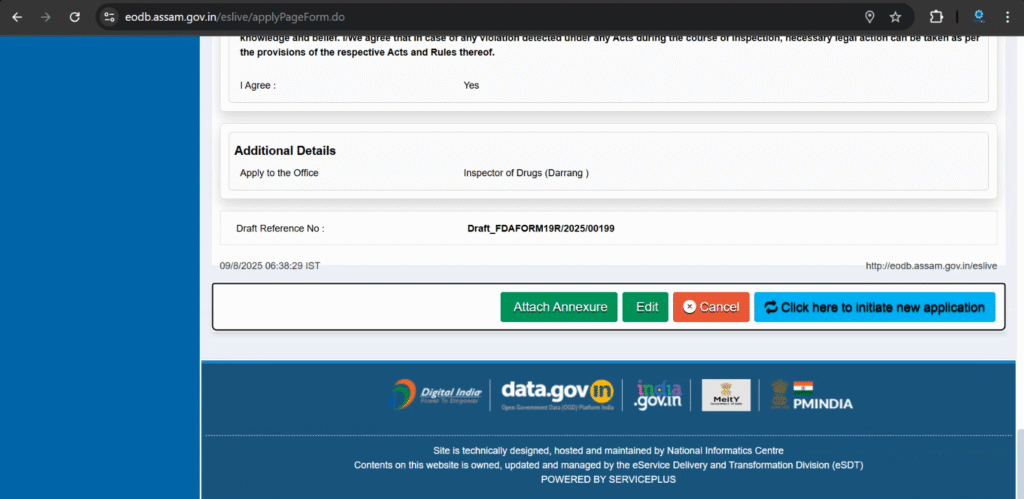
Step 6: Review and Submit
- Carefully check all entered details.
- Click Submit to save your data.
Step 7: Download Acknowledgement
- After submission, download the Acknowledgement Receipt.
- Print a copy or save the PDF.
Step 8: Submit Acknowledgement to Inspector of Drugs
You can submit the acknowledgement either:
- By hand at the Office of the Inspector of Drugs of your district.
- By email to: id.yourdistrict@gmail.com
Watch this video for step by step guide
Important Deadlines
- Update your details within 7 days of receiving this notice.
- The EODB portal will reflect your details within 20 days of submission.
for more update visit our website regularly
Please make a video
Yes definitely
Video is uploaded.. you check it out